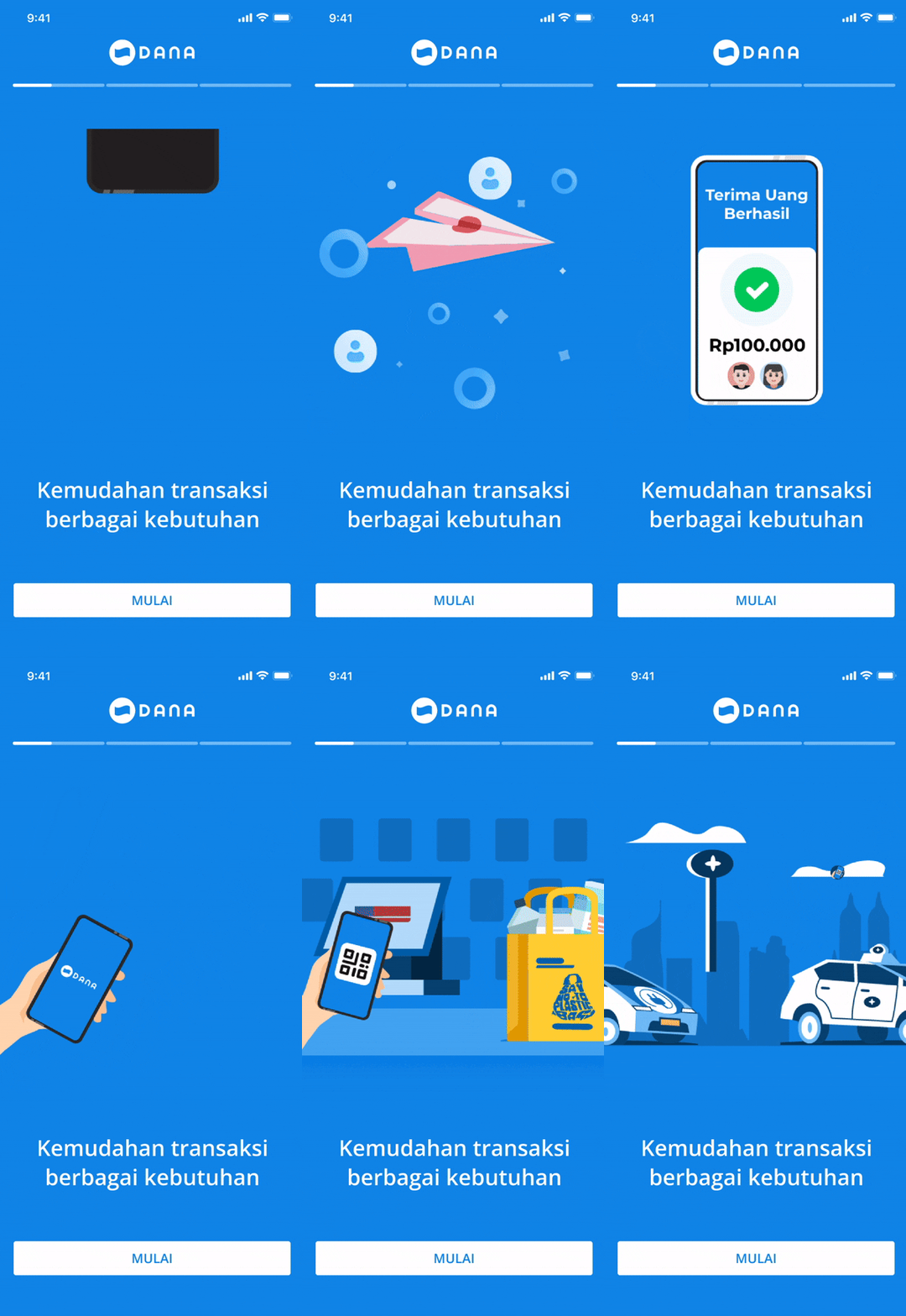
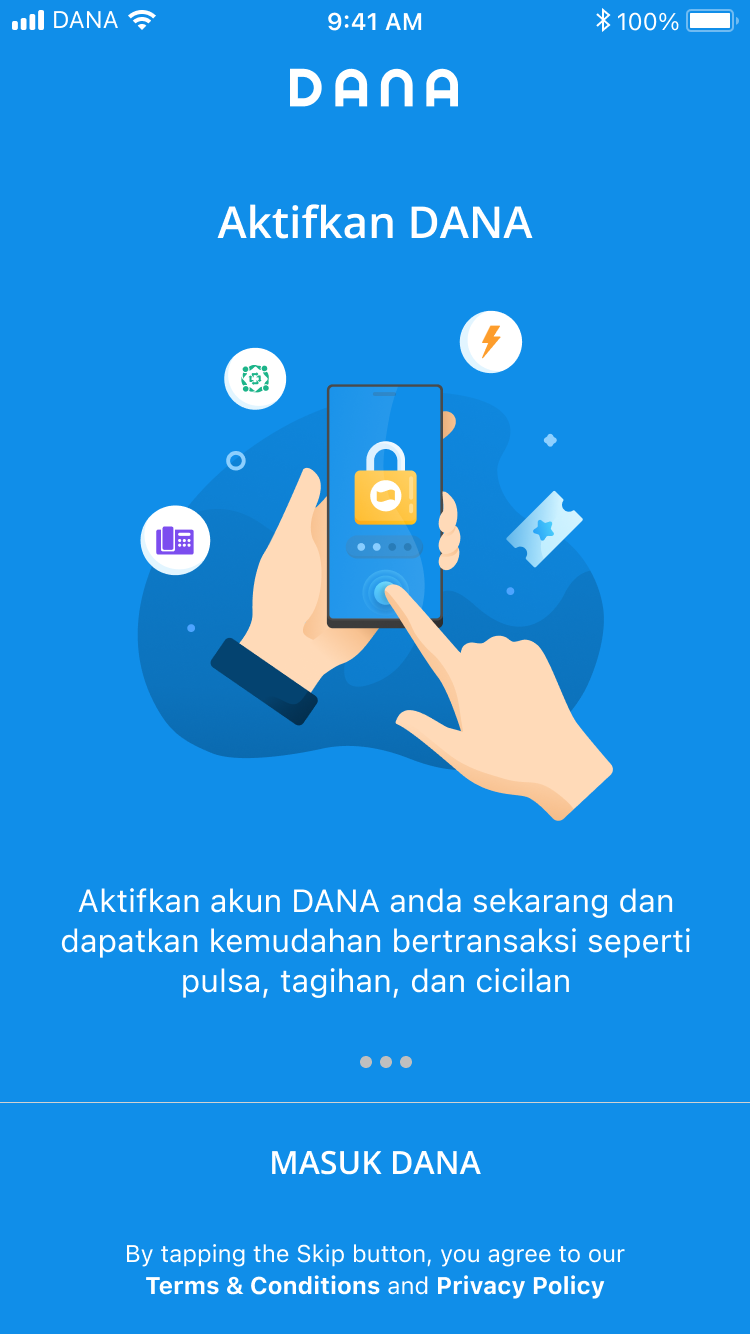
DANA onboarding is the first moment where new users decide whether the app feels useful, easy, and trustworthy. Earlier onboarding research showed that users generally understood DANA as a digital wallet for cashless payment, but 5 out of 6 users skipped the introduction and directly tapped the phone number field because they wanted to register quickly.
Users wanted to move fast but the journey still needed to feel clear and trustworthy.
Half weren’t finishing registration
A leaky funnel with no clear diagnosis. DANA was acquiring users but struggling to convert them. Registration completion was stagnant around 51%, and newly registered users weren’t activating the features that mattered.
Out of every 100 people who started registration
~51.3%completed, Aug to Oct 2023
FinishedDidn’t finish
Registration drop off
The overall conversion rate for Aug to Oct 2023 hovered around 51.3% and was fluctuating downward. The team had no single clear cause: it could be OTP failures, UI confusion, or technical errors.
OTP friction
WhatsApp OTP was introduced as a security measure, but the Risk Team’s data showed users were still dropping off even after receiving the code. Users weren’t completing the step.
Unexplored feature space
DANA had an extensive feature set, but newly registered users had no guided path to discover it. Users frequently said they didn’t know what to do after signing up.
About 51 of every 100 people who started registration finished it. The three leaks are where the team suspected the other half was lost.
Most of the time we’re too eager to ship a new feature rather than maintain or optimize existing features. DANA has too many features, but they’re not explored enough by users
Five studies kept telling us the same thing
Rather than a single research sprint, this was an evolving body of evidence: each study building on the last to progressively sharpen our understanding of the problem.
2020
Onboarding Revamp Usability Study
Unmoderated think-aloud sessions with 6 segmented users across age groups and digital wallet experience levels. Evaluated registration flow, tooltips, and what users did immediately after signing up.
Users wanted to register quickly
One user thought the text was too long to read.
Average time on intro task: 136 seconds, most of it lost on confusion
2023
Registration Drop Off Desk Research
Triangulated survey data, Appbot negative sentiment review, and internal analytics to identify the top causes of registration abandonment. OTP issues and obscure error messages emerged as the biggest culprits.
OTP was the largest friction point
The 2023 desk research found that users who failed OTP verification were mainly users who did not receive OTP or experienced slow loading.
2023
Newly Registered Users Top Use Cases
Internal data analysis tracking what users did immediately after registration vs. at 3 months vs. 6 months. Mapped acquiring use cases and fund use cases to reveal which features to surface first in onboarding.
First use cases shift dramatically over time
At registration, A+ Rewards and Other GN dominate. By 3 to 6 months, Mobile Telco Standalone, Insurance, and QRIS take over. This mismatch means onboarding shows the wrong features.
P2P, PG, and Top Up remain stable #1 to #3 fund use cases throughout
2024
WhatsApp OTP Drop Off: Cold Call Study
CS team cold-called 186 users detected as having not completed WhatsApp OTP verification. Split between registered and unregistered users, this study pinpointed the exact failure modes in the OTP step.
OTP was the largest friction point
The 2024 cold call research also found that OTP had the most challenges: users did not receive WhatsApp OTP, preferred SMS OTP, failed when entering OTP, or entered expired codes.
Drop off reasons: not received (38.5%), app error (23.1%), too slow (15.4%)
Recycled numbers created ghost accounts
A meaningful share of users didn’t remember attempting to register: their phone number had previously been used by someone else or had been recycled by a telco provider.
Of unregistered users, 56 out of 79 said they had tried to register
2024
Install → Register → Active Workshop + Phone Number Survey
A cross-functional Design Thinking workshop (PD, UED, Marketing, Tech) to align on problem statements, ideate solutions, and create a prioritized roadmap. Complemented by a survey on phone number registration behavior.
81% used their own device’s number
The vast majority of users register with the same number that’s on their device, validating the decision to build a phone number suggestion shortcut in the keyboard.
19% used a different number, mostly due to inactive SIM or owning two devices
A high success rate does not mean registration succeeded
E-wallets attract constant bot and fraud attempts, so a 100% registration success rate can mean risk controls are not catching enough. A rising success rate on its own is not proof of health.
Success rate alone does not measure registration health.
How research rebuilt the shipped flow
Each shipped screen below traces directly to the observation, decision, and tradeoff that shaped it.
Welcome screen
Observed
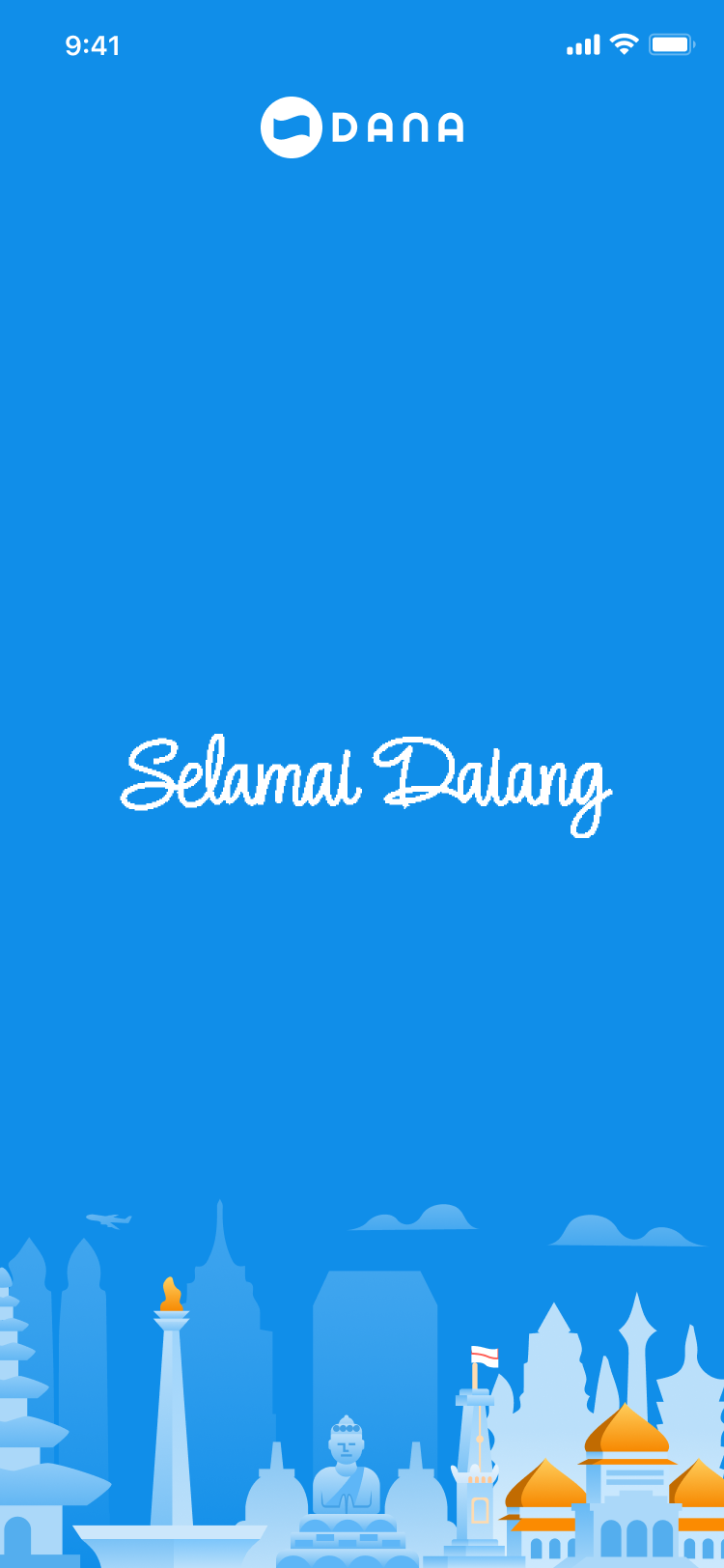
5 of 6 users skipped the intro carousel and tapped the phone field directly; 136 seconds lost to confusion.
Decision
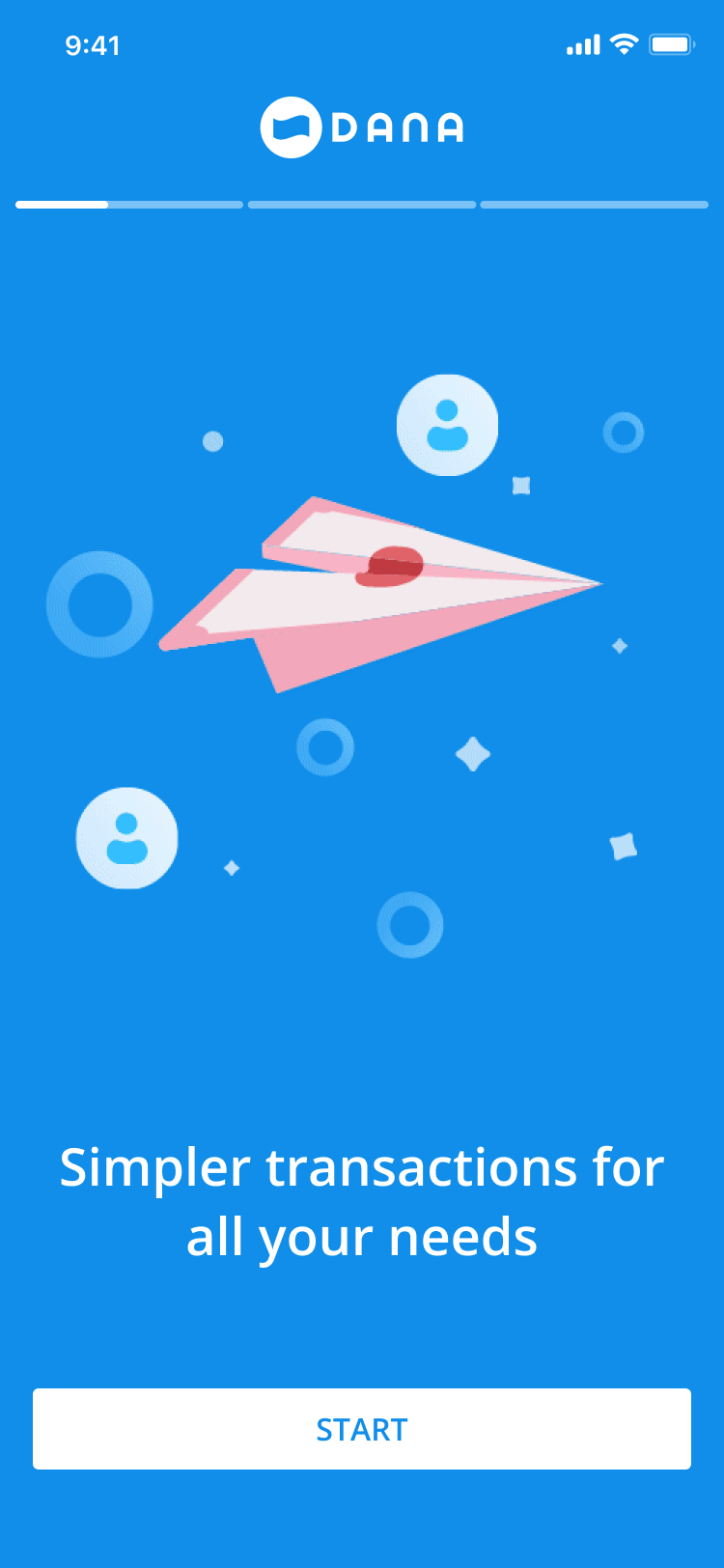
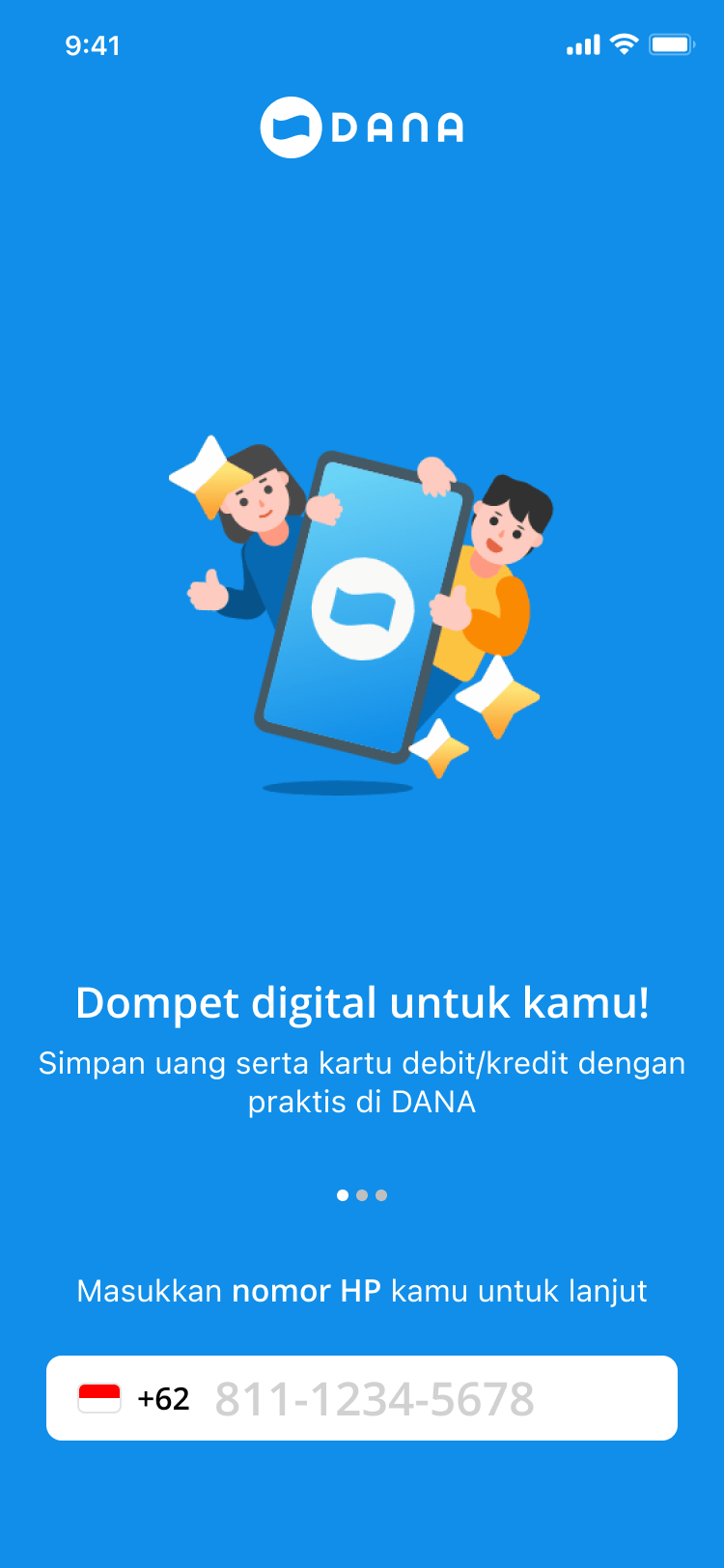
Cut the feature showcase. One value statement, one action; deferred discovery to after registration.
Tradeoff
Gave up early feature education to earn trust and speed at the moment registration is decided.
Intro removed: one message, one action.
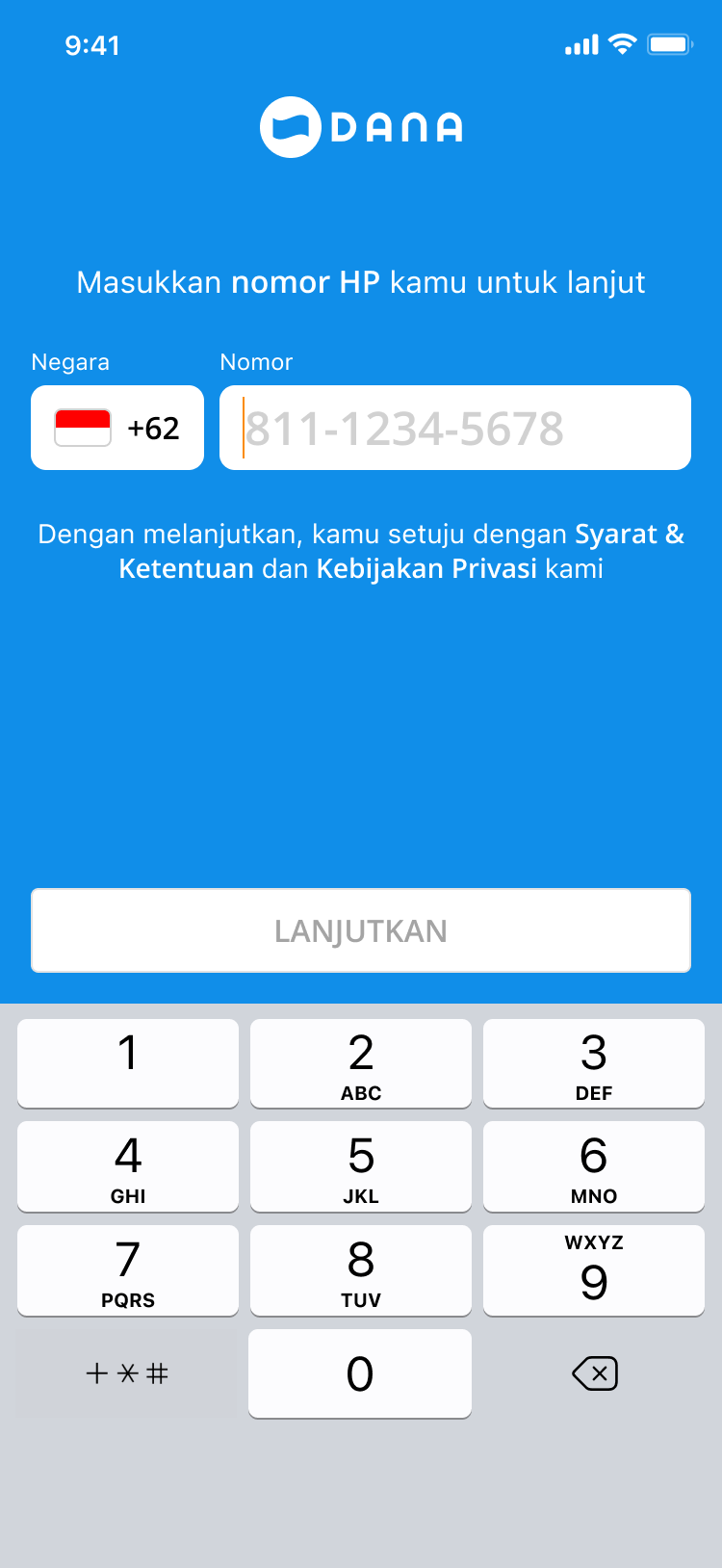
Phone number
Observed
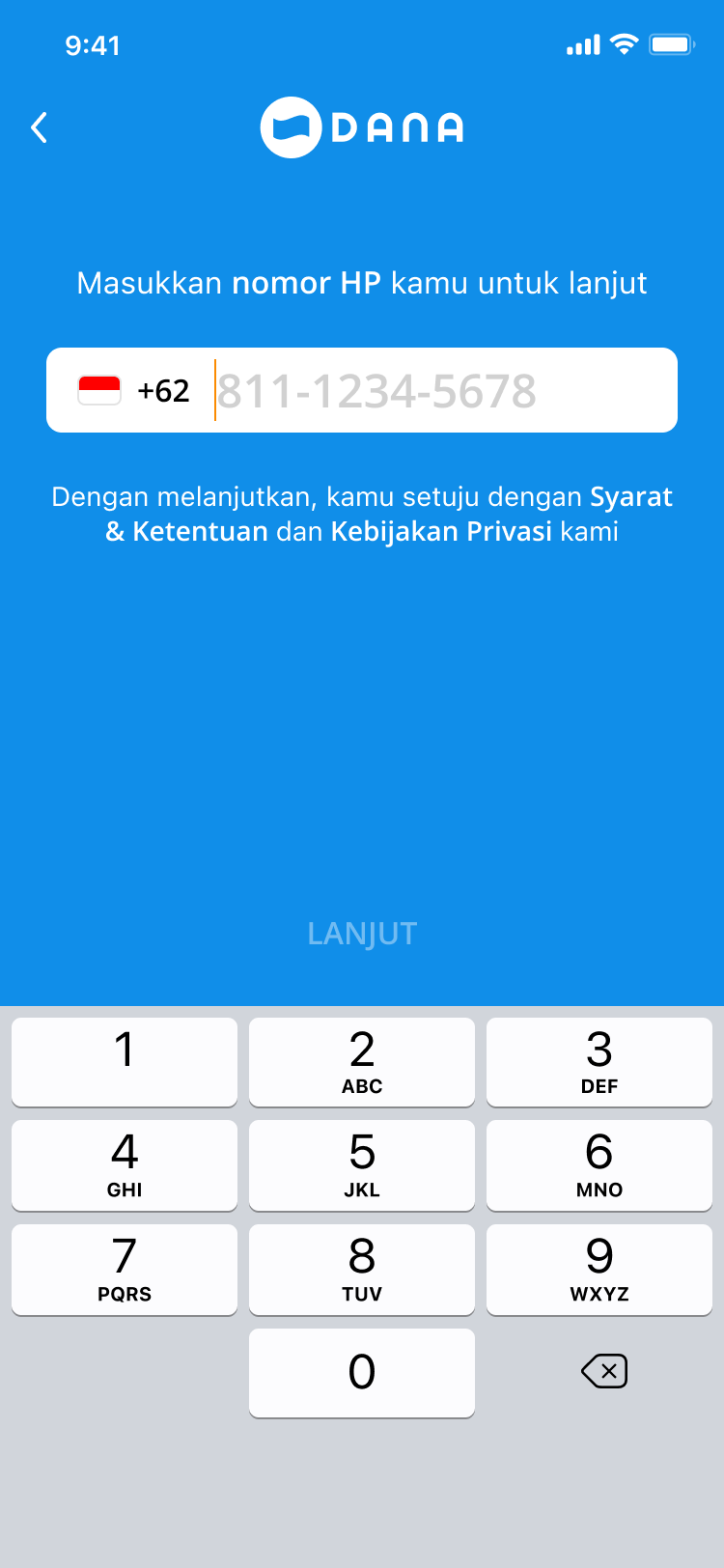
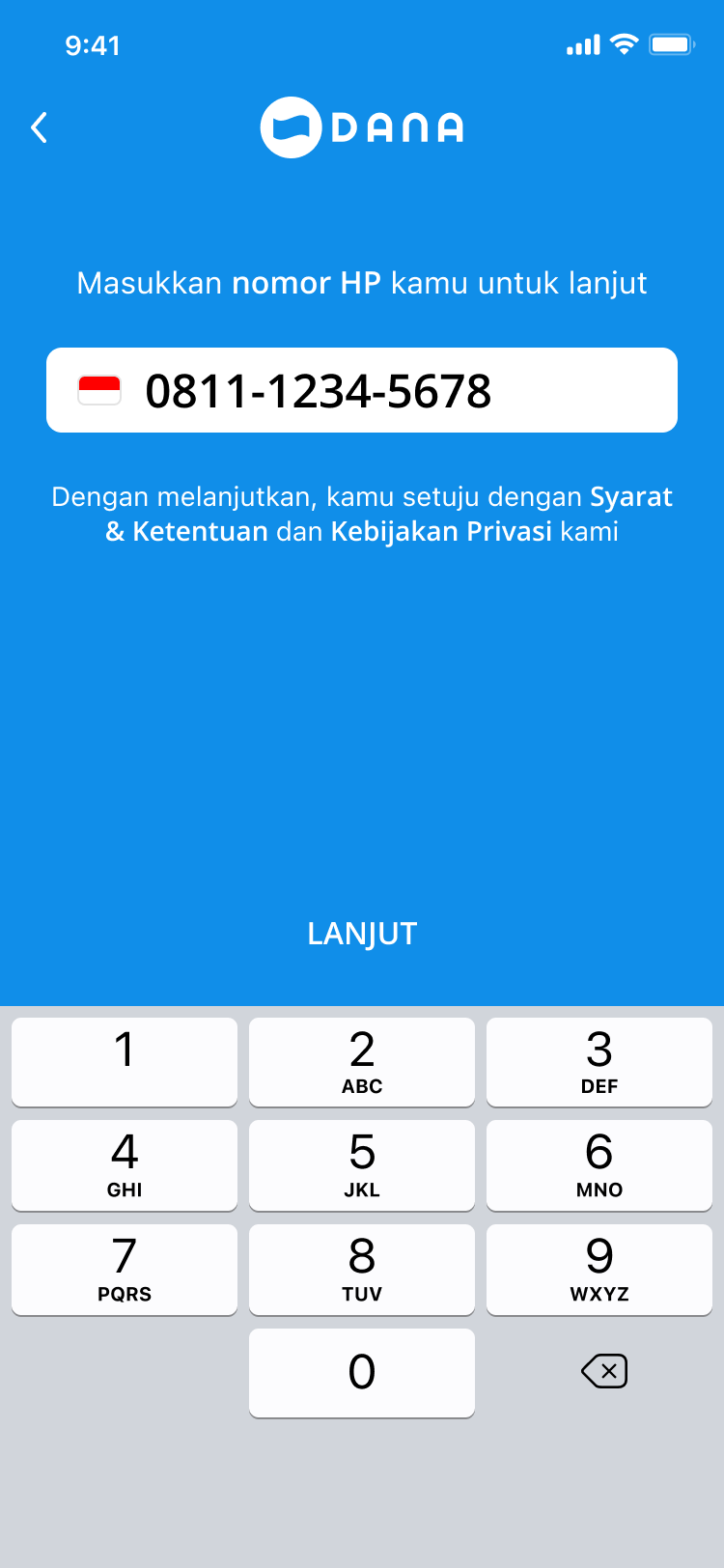
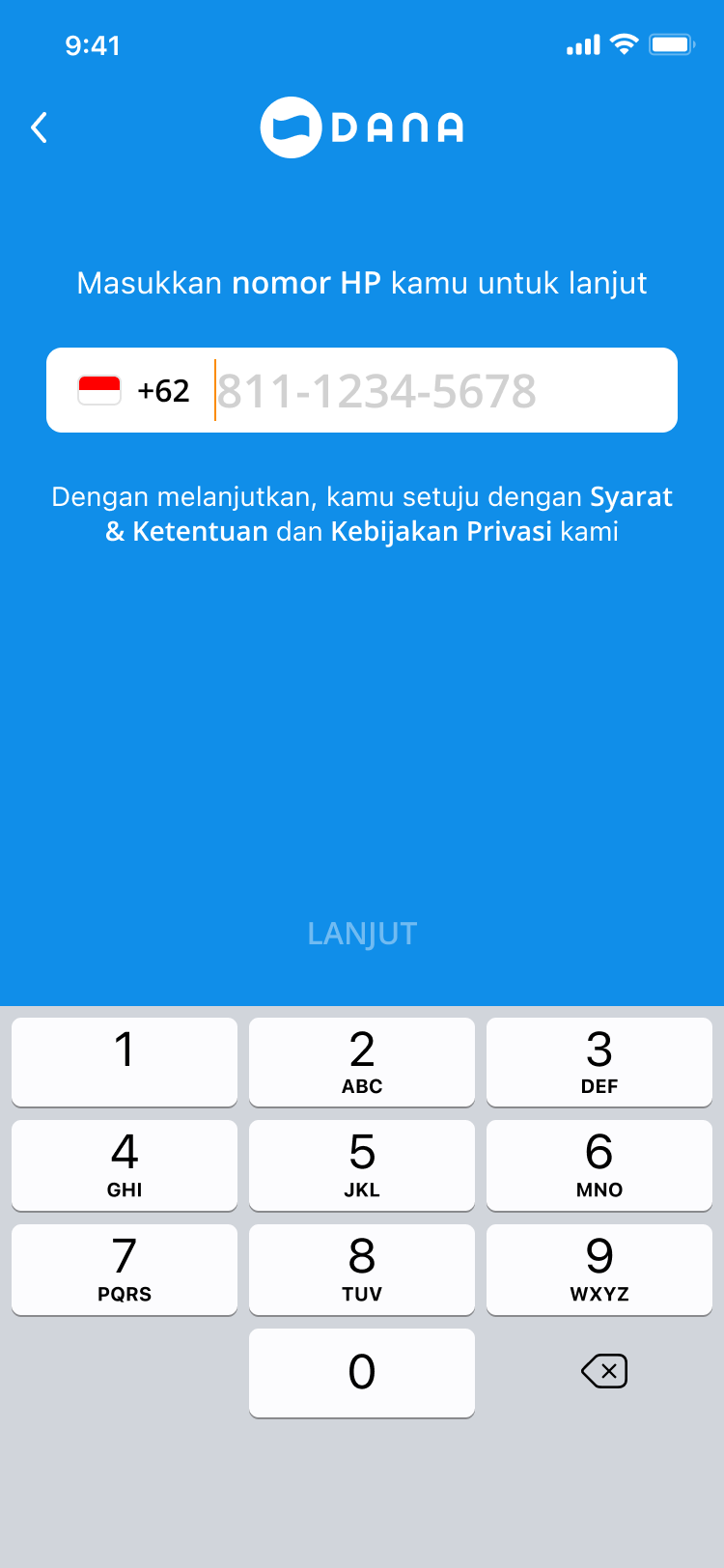
81% used the number already on their device; the merged +62 field left users guessing about the leading zero, and mistypes on numeric keyboards led to abandonment instead of correction.
Decision
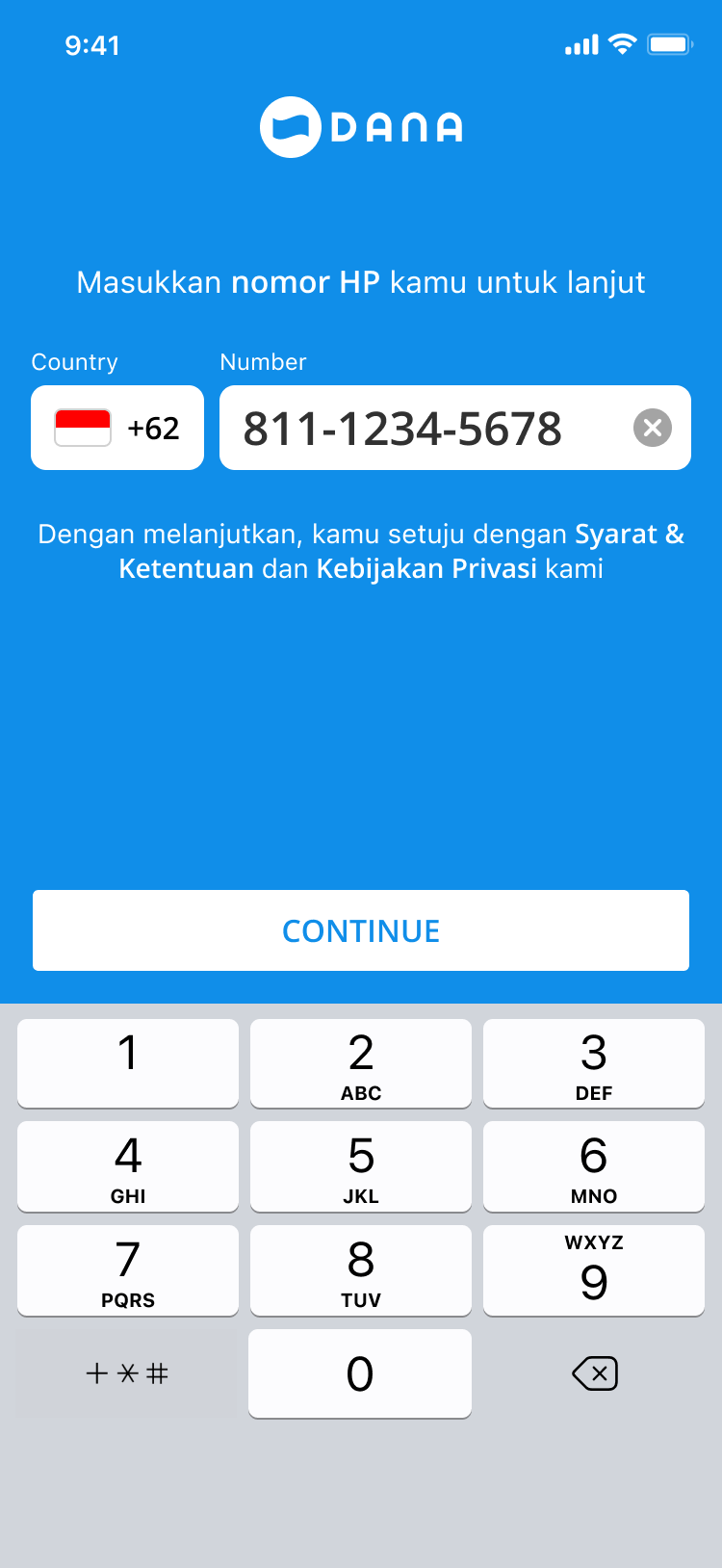
Added a suggested-number shortcut, split Country from Number into two labelled fields, added a clear control.
Tradeoff
The 19% on a second SIM or inactive SIM take a slightly longer path so the 81% never face format ambiguity.
Phone restructured: Country and Number split, a suggested number, a clear control.
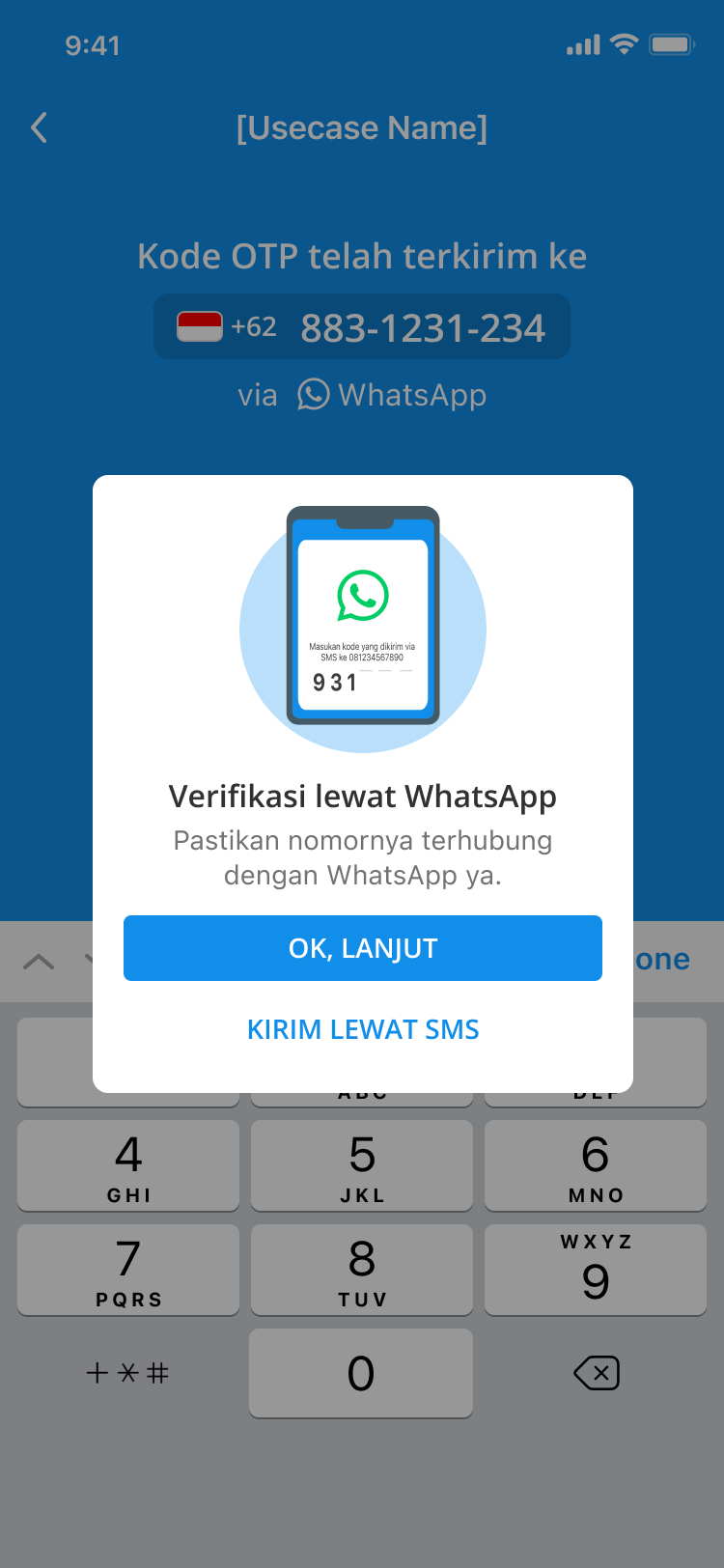
WhatsApp confirmation
Observed
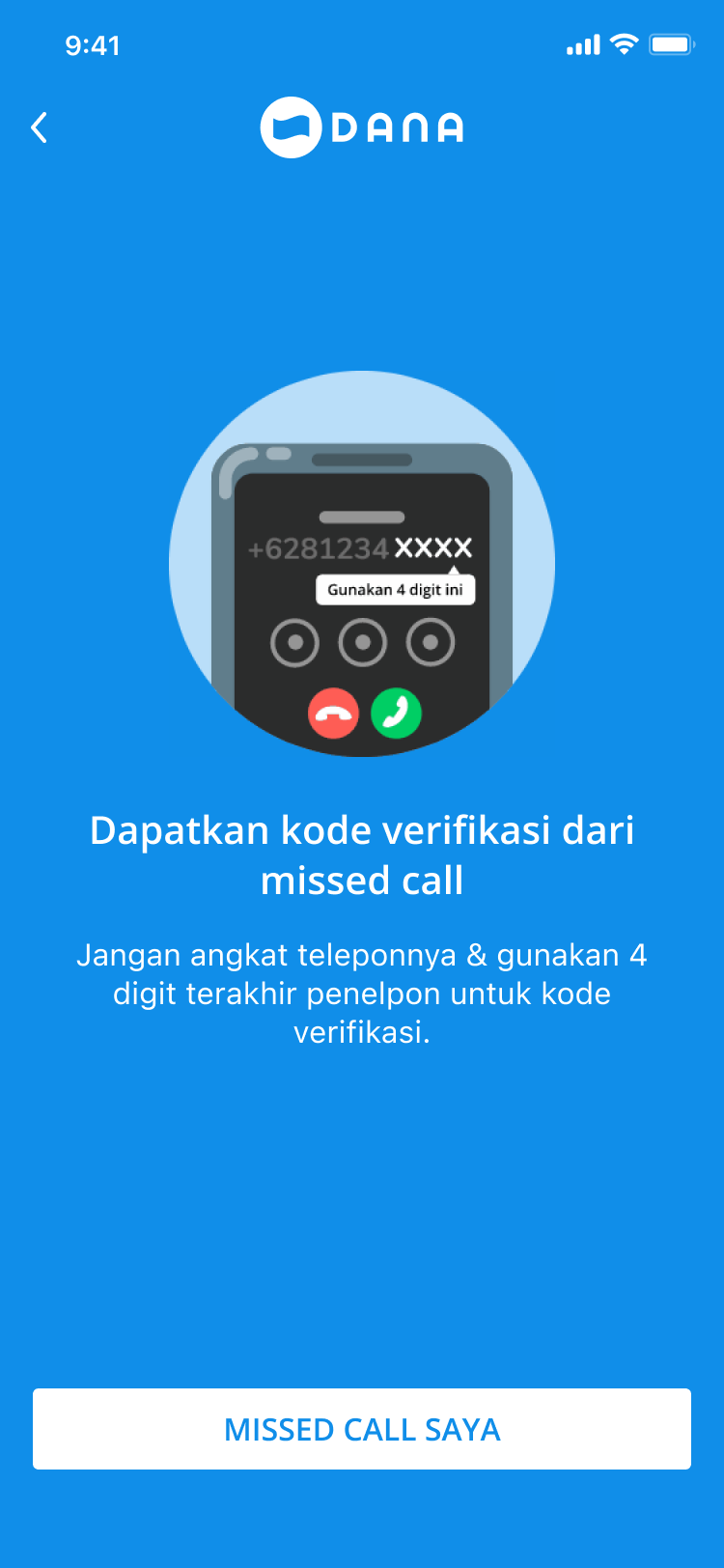
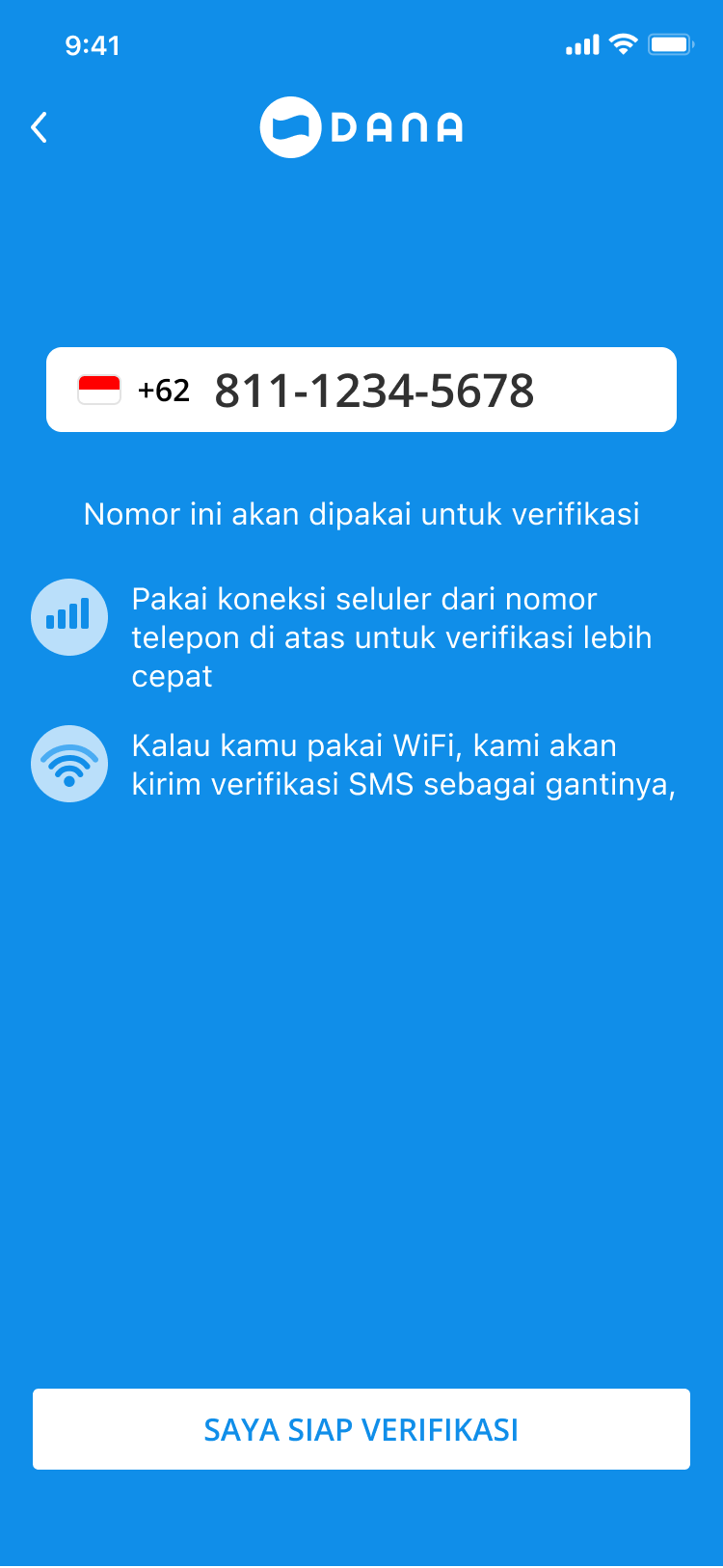
Users did not know where the code was being sent; recycled telco numbers produced ghost accounts from people who never tried to register.
Decision
Inserted an explicit WhatsApp confirmation stating the delivery channel before any code is sent.
Tradeoff
One added screen in exchange for removing the uncertainty that was killing the next step.
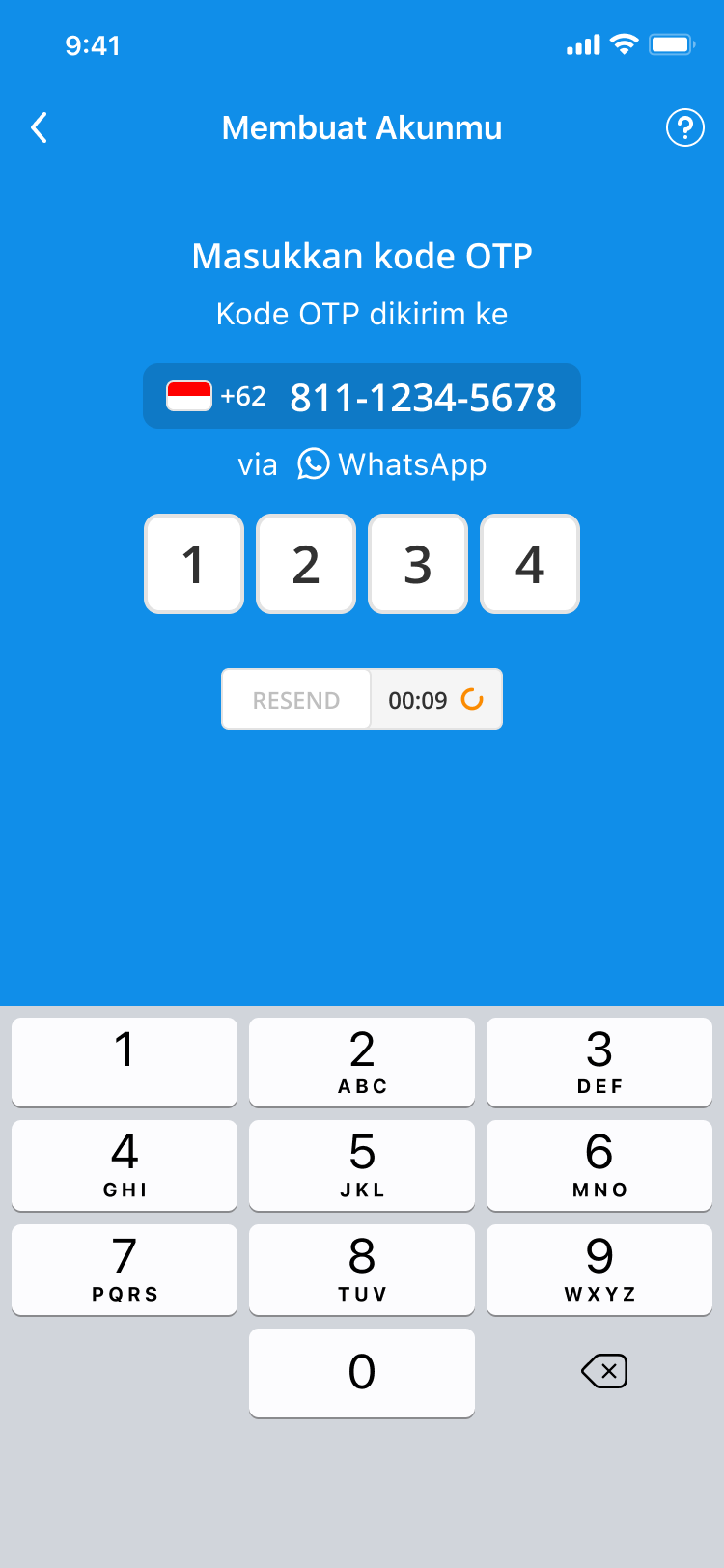
OTP verification
Observed
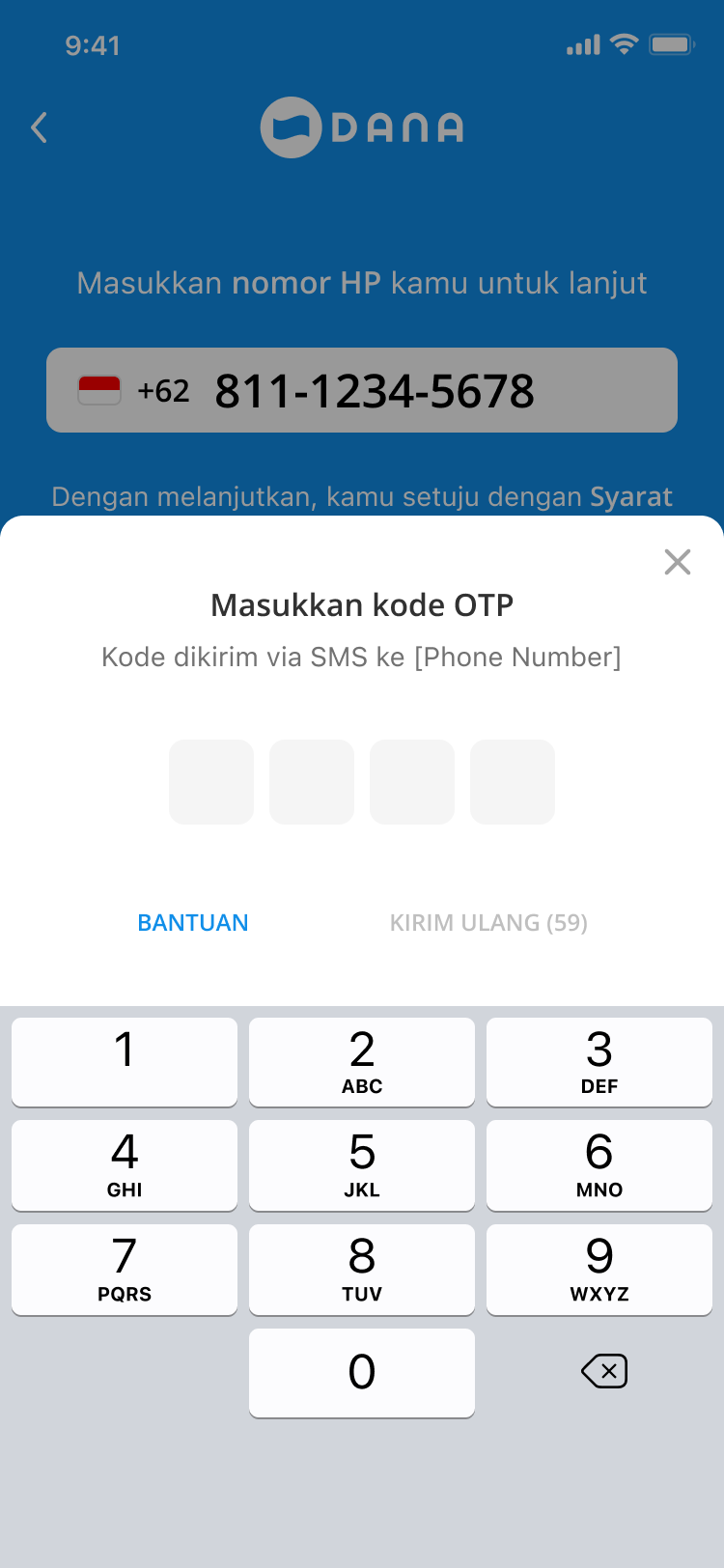
Largest drop-off point: not received 38.5%, app error 23.1%, too slow 15.4%; expired codes, failed entry, buried resend.
Decision
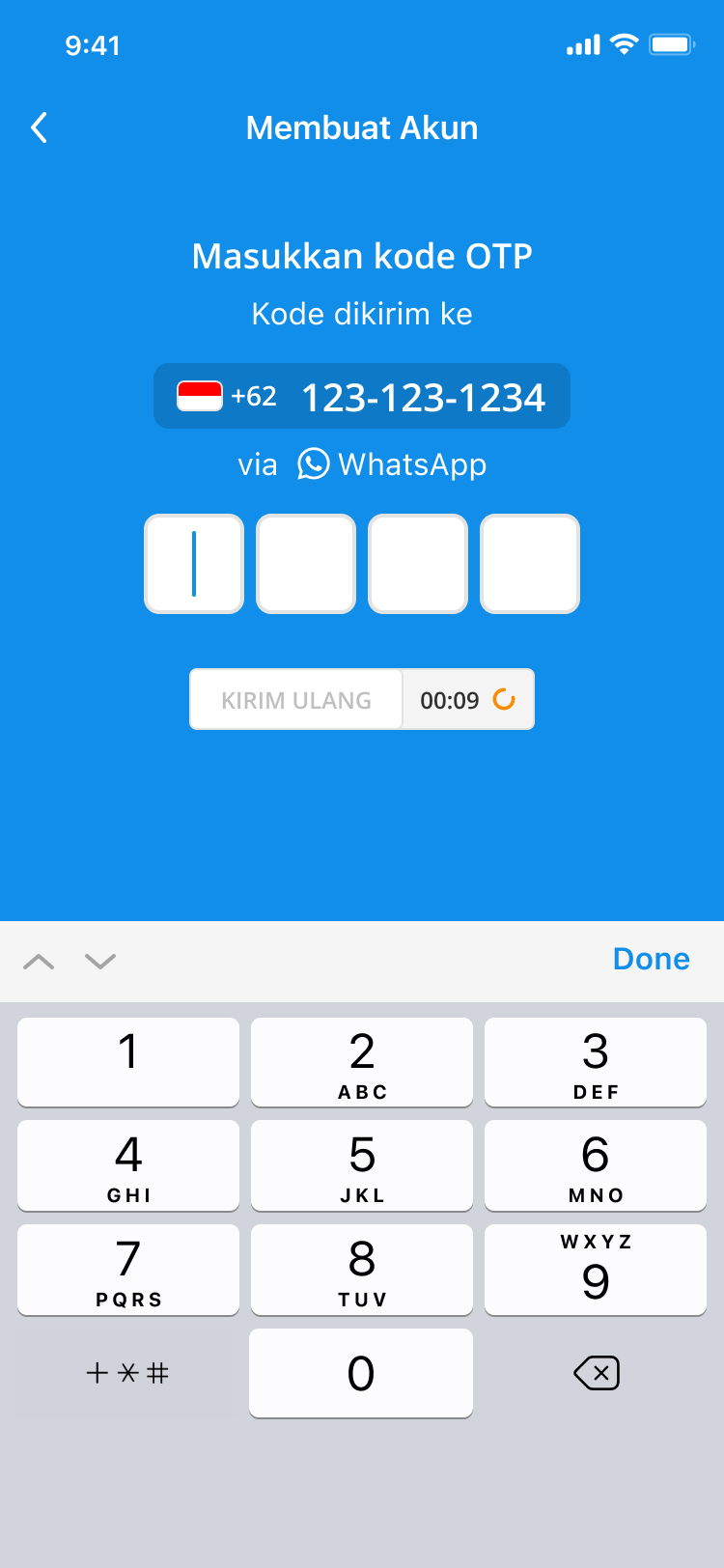
Stated “via WhatsApp” under the number, added a visible countdown as a working-system signal, kept resend always visible; explored faster channels (Citcall, Boku, Akamai).
Tradeoff
Leaned on WhatsApp delivery some users did not prefer, and accepted resend-abuse risk to stop abandonment at the critical step.
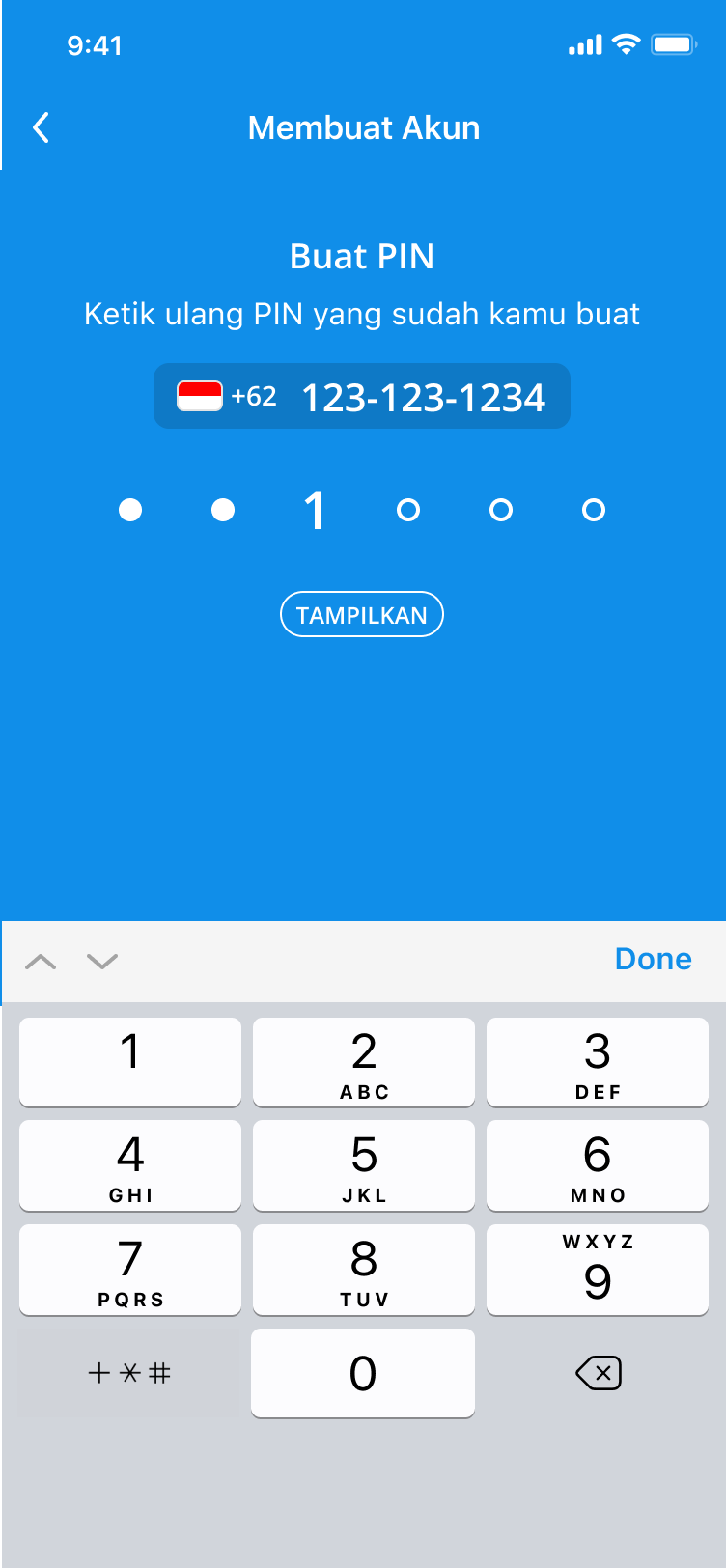
A mandatory security step inside a journey users already wanted to finish quickly.
Decision
Kept the requirement, reframed it as a personal action rather than a compliance hurdle.
Tradeoff
Kept the friction that protects the account; spent the design effort on tone instead of removal.
Welcome back
Observed
Newly registered users said they did not know what to do next; first use cases at registration (A+ Rewards) mismatch the 3 to 6 month reality (telco, insurance, QRIS).
Decision
Merged confirmation and home into one arrival screen and moved feature discovery to post-registration, where it is relevant.
Tradeoff
No guided tour at signup; relevance later instead of completeness now.
Details cut, arrival merged: Welcome to Welcome back in six steps.
Remove before adding
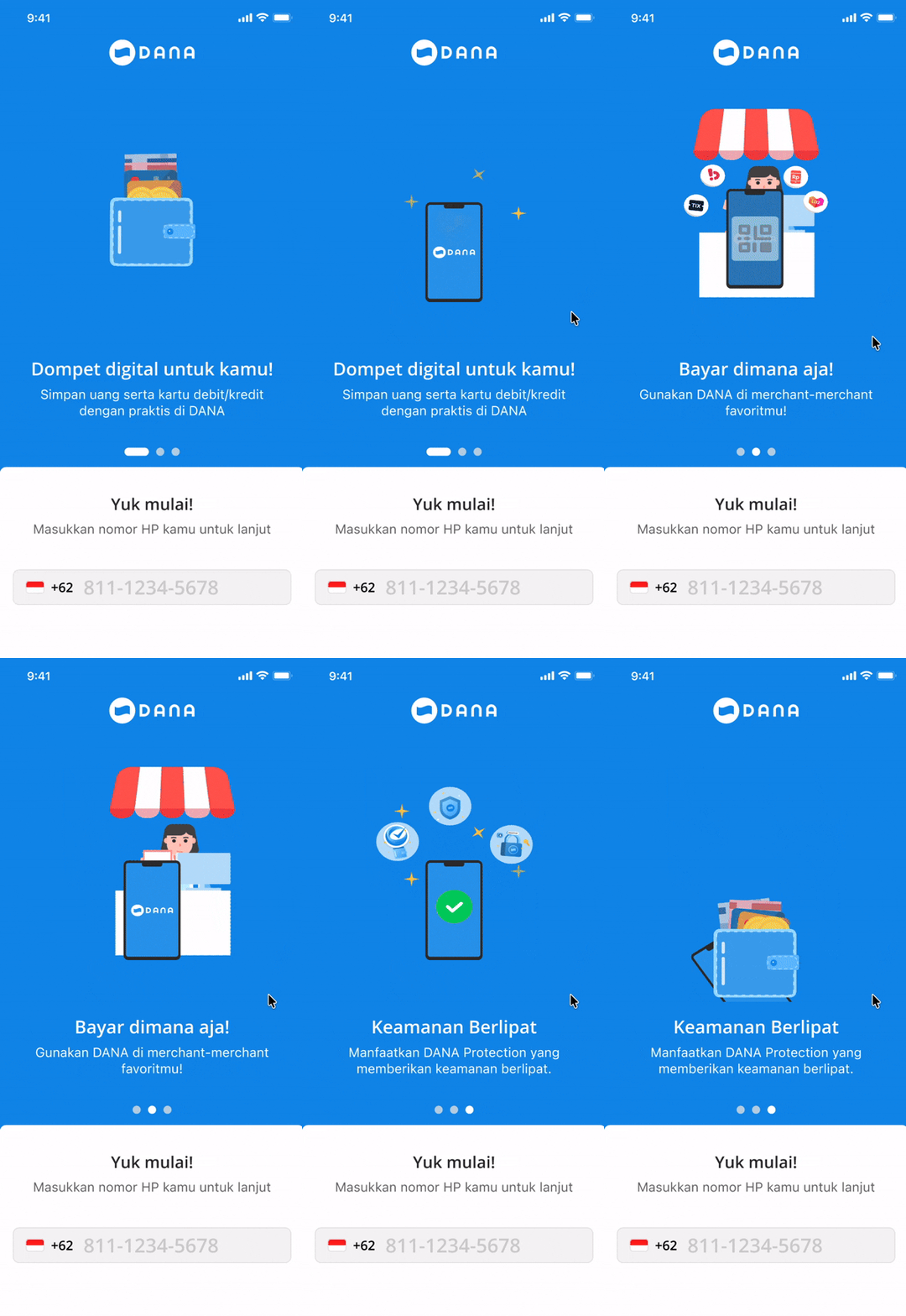
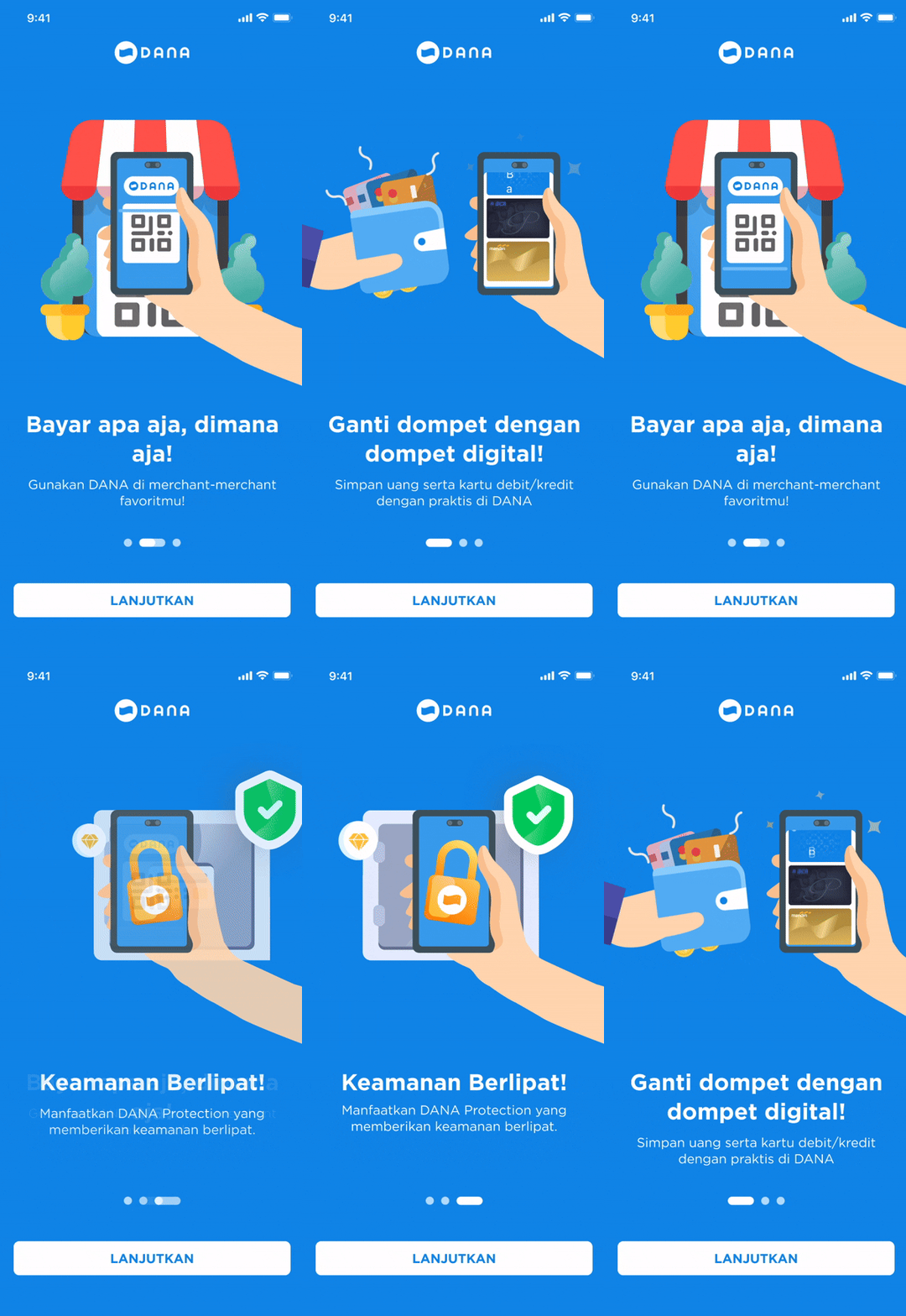
The first decision was subtraction. The exploration below started wide (reachable phone input, richer illustrations, plain-language messaging) and kept removing until the third design. The comparison after it shows what “remove” meant in practice:
Exploration 1Exploration 2Final direction
The first design iteration explored a structural shift: moving the phone input field below the carousel so it’s always reachable without completing the intro. Richer, more specific illustrations replaced the original abstract graphics. Messaging was rewritten in plain language based on exact user vocabulary from the usability sessions. The third design won by removing the most.
V1
Onboarding v1
V2
Onboarding v2
Current
Current onboarding
Previous (v1 & v2)
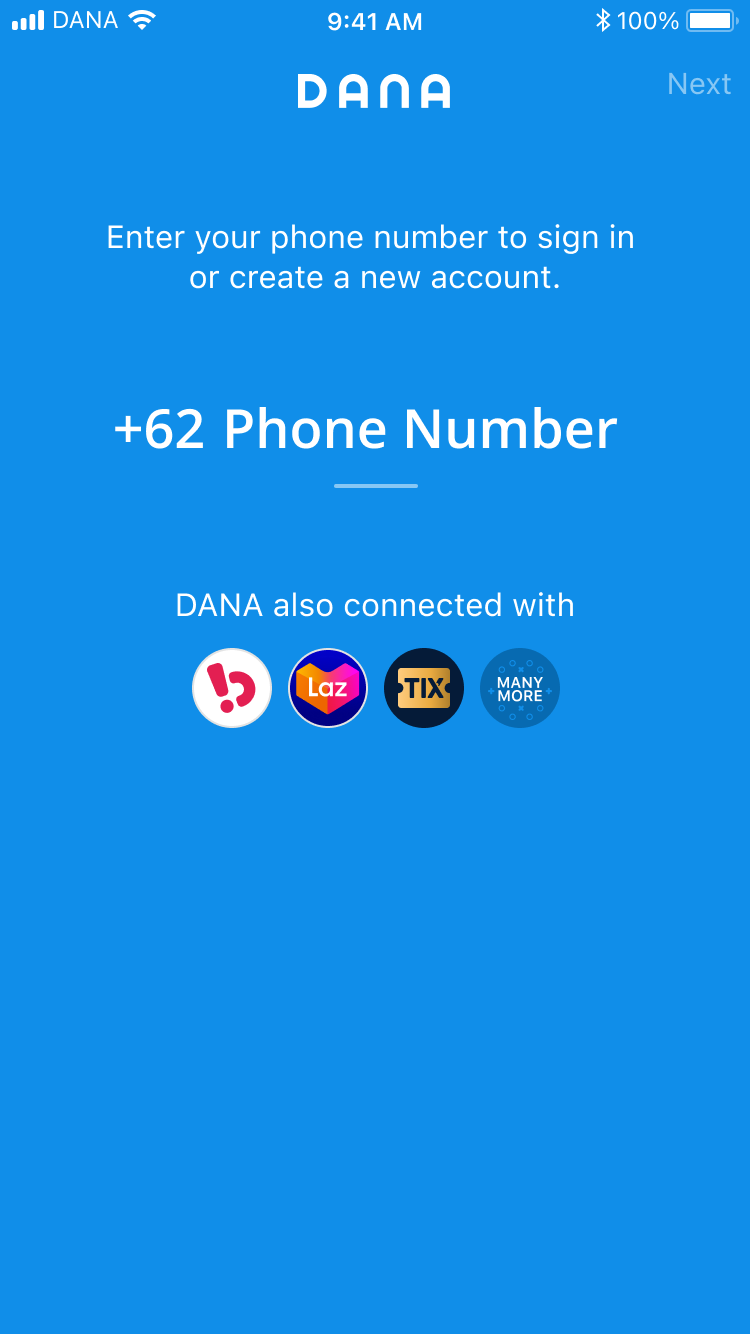
Mixed intent: promotional copy and a phone input on the same screen split user attention before trust was established.
Current design rationale
One message, one action. Deferred feature discovery to post registration, where it’s actually relevant.
From feature showcase to first impression
One of the clearest patterns in our research was that DANA had a tendency to introduce new features before the existing journey was fully resolved. The onboarding screen became a symptom of this: by the time users landed on it, they were already being sold a product they hadn’t yet decided to trust.
This informed the decision to strip the onboarding down to its core purpose. The current design removes the feature-selling layer entirely and replaces it with a single, clear value statement and one action. The reasoning is simple: a user who hasn’t registered yet doesn’t need product depth. They need enough confidence to take that first step. Everything else can wait.
Fixing the tiny details that caused abandonment
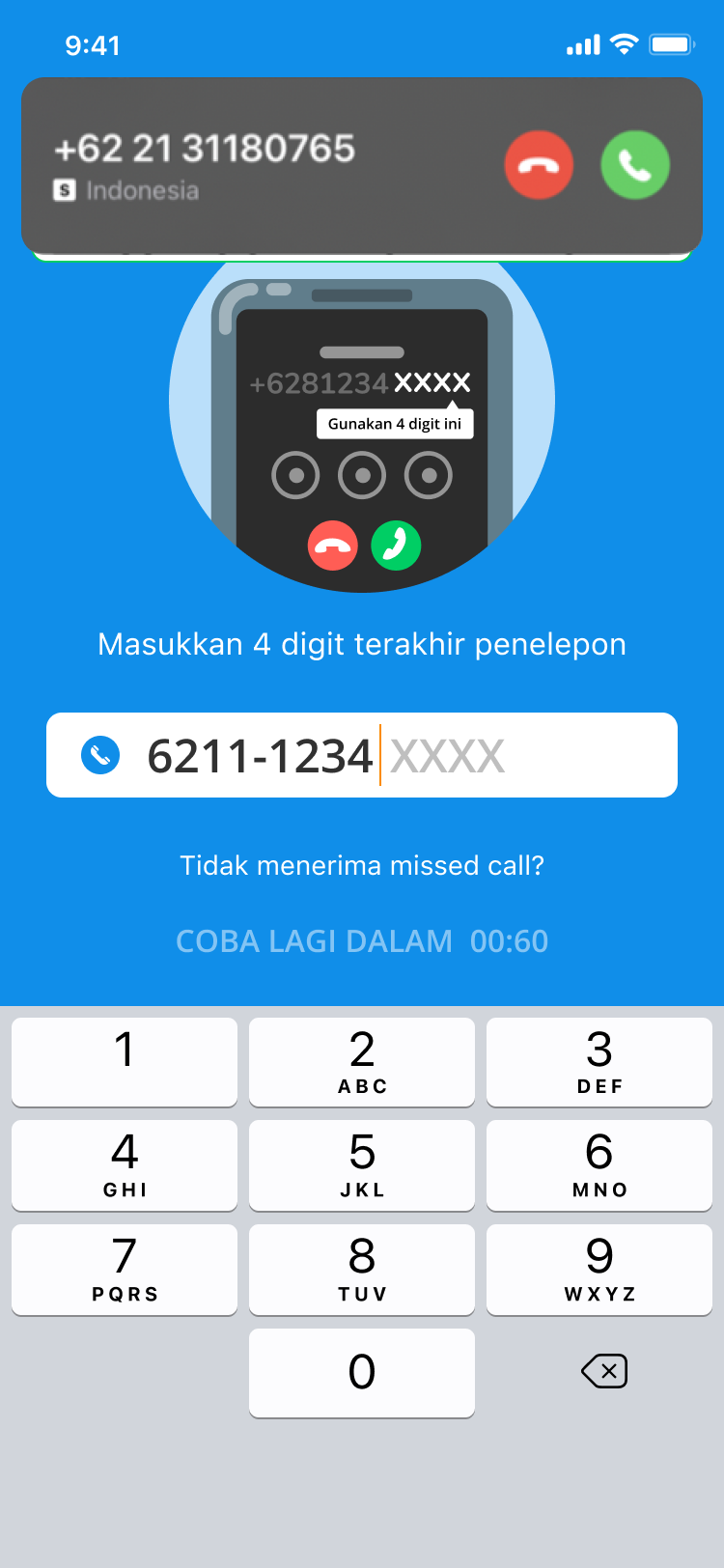
OTP was the single largest friction point in registration: either the SMS was too slow or it never arrived at all. That pointed to a design question, not just a technical one: could a faster, more reliable delivery channel change how the whole verification step felt?
Citcall
Boku
Akamai
Exploring faster OTP delivery channels
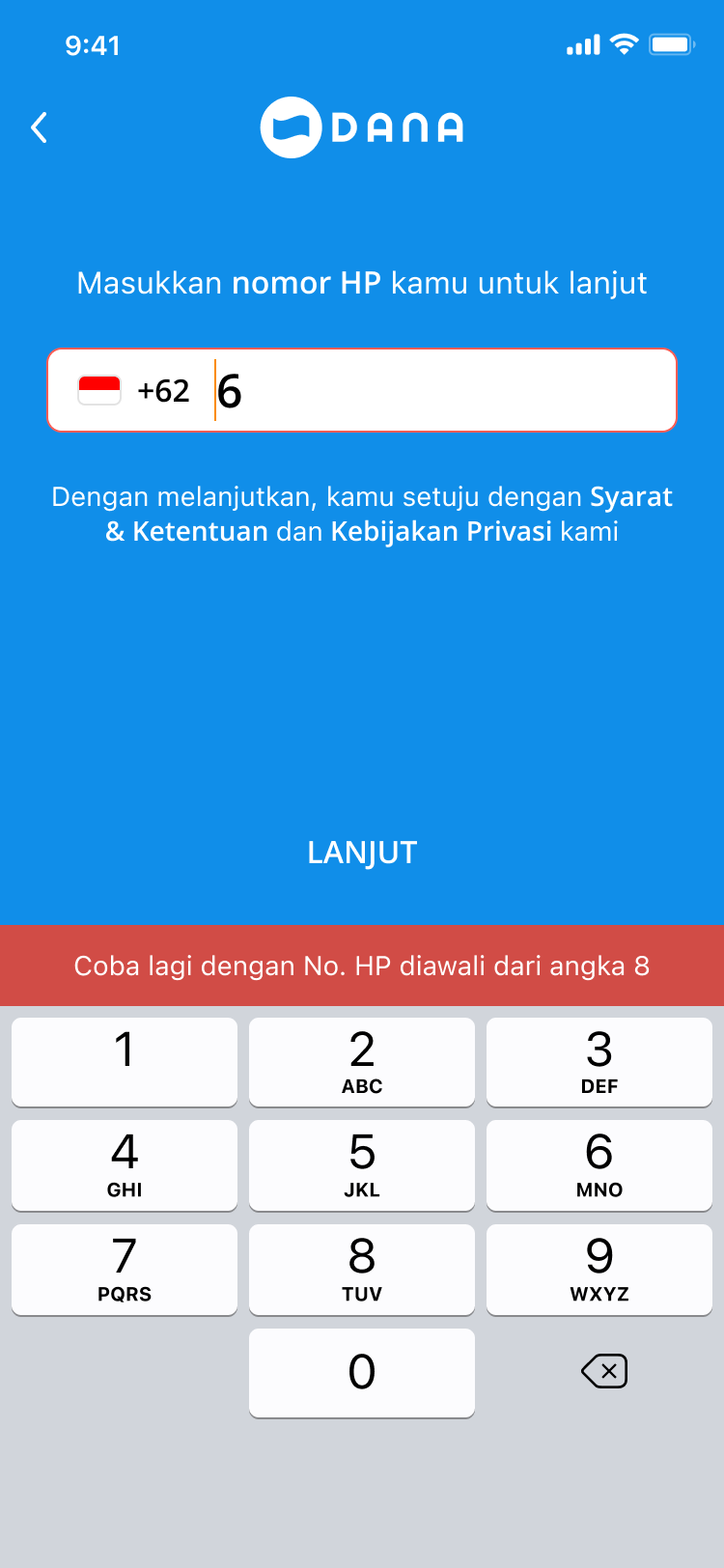
Entering any prefix other than “8” or “0” keeps the +62 country code
Entering “0” instead of “8” replaces +62 with 0 automatically
Helping users enter their phone number
V1
Phone number input, v1
V2
Phone number input, v2
Current
Current phone number input
Previous (v1 & v2)
A merged +62/number field left users guessing about the correct format, a small friction that compounded into real drop off.
Current design rationale
Structural separation of country code and number. Ambiguity resolved by layout, not copy.
Removing a silent source of confusion
The data told a story that wasn’t immediately obvious from looking at the screen: 81% of users registered using their own device’s phone number. That should have made this step frictionless. But it wasn’t, because the input field didn’t make it clear whether users should include or exclude the leading zero when typing after the +62 prefix.
The current design resolves this structurally: not with hint text, but by separating the country code into its own labelled field. The user now sees “Country” and “Number” as two distinct inputs, which implicitly communicates that the prefix is already handled. The addition of a clear (×) button addresses a secondary finding: on a numeric keyboard, mistyping is common, and users were abandoning rather than correcting.
V1
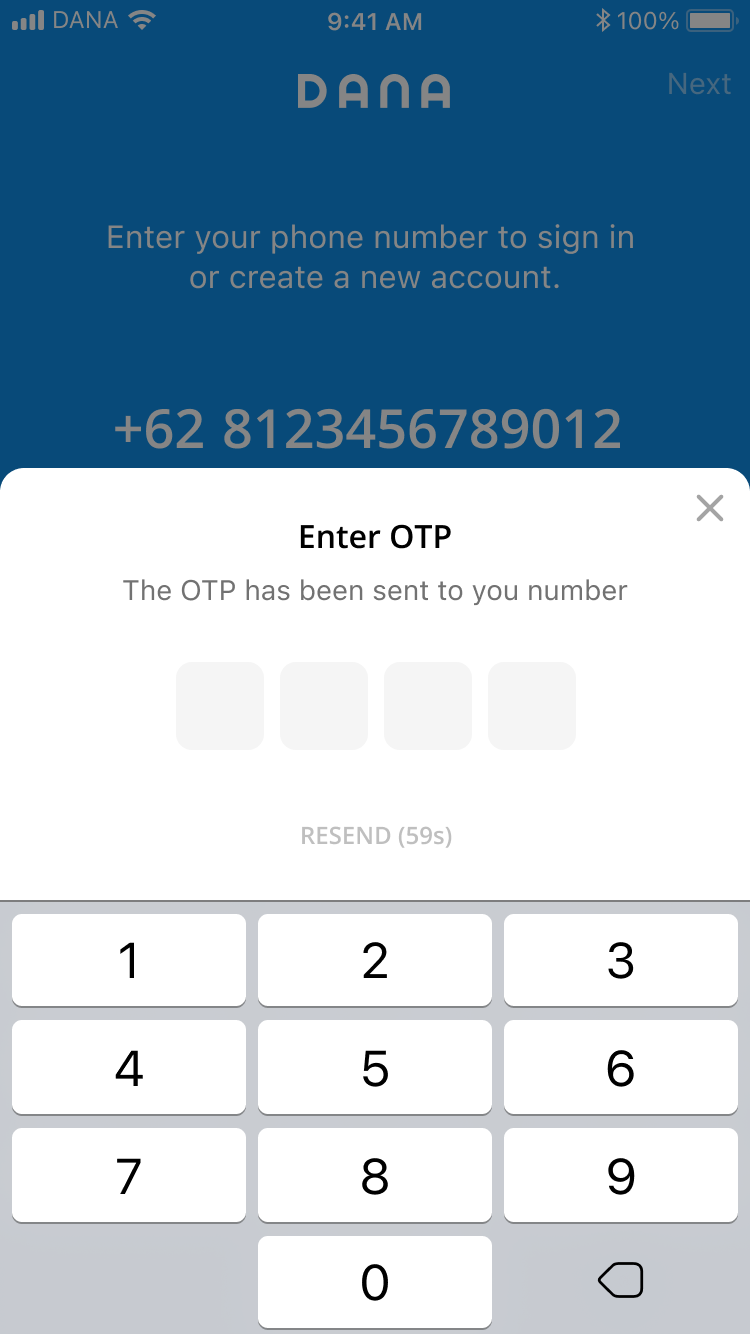
OTP input, v1
V2
OTP input, v2
Current
Current OTP input
Previous (v1 & v2)
No delivery channel stated, no time signal, and a buried resend action: three compounding uncertainties at the most critical step.
Current design rationale
WhatsApp delivery stated upfront. Countdown timer as a trust signal. Always-visible resend link to prevent abandonment.
The biggest drop off point
OTP was where we lost the most users, and it wasn’t because the concept was unfamiliar. It was because three separate problems were converging at the same moment in the journey: users didn’t know where the code was being sent, they couldn’t tell how long they had to enter it, and when it didn’t arrive, they didn’t know what to do next.
The current design addresses each of these individually. Explicitly stating “via WhatsApp” beneath the phone number sets the right expectation before the user even leaves the screen. The visible countdown timer (“00:09”) gives users a concrete signal that the system is working and tells them exactly when they can request another code. The always visible resend link (KIRIM ULANG) removes the moment of uncertainty that was causing users to abandon instead of retry.
What happened afterwards
The full registration journey
The flow treats every screen as an opportunity to answer the question the previous one raised.
Welcome
Fixed: the introduction everyone skipped
The welcome screen earns trust before asking anything.
Phone
Fixed: guessing the +62 format
The phone input removes format ambiguity through structure rather than instructions.
WhatsApp
Fixed: not knowing where the code went
The WhatsApp confirmation sets delivery expectations explicitly, so users know exactly where to look for their code.
OTP
Fixed: codes not arriving, app errors, slow delivery
The OTP screen restates those expectations and adds a countdown timer, converting a moment of silence into a visible signal that the system is working.
PIN
Kept: the step that protects the account
PIN creation reframes a security requirement as a personal action.
Welcome back
Fixed: not knowing what to do next
And the welcome screen closes the journey with a clear sense of arrival.
Every change above traces back to a specific drop-off point the five studies surfaced. This wasn’t a redesign for its own sake. It was a fix mapped directly to where the ~51.3% conversion baseline was leaking users.